 Cover image via amazonaws
You have an email meant for your husband, but you accidentally sent it to your boss. What do you do?

Image via giphy
You freak out.
You accidentally sent an angry, profanity-laden email to all your co-workers, only to regret it later. What do you do?

Image via giphy
You freak out.
Ok, freak out no more because here's some good news – Gmail has FINALLY added the 'Undo Send' feature after making it a Google Lab feature for six long years!

Image via giphy

So how do you enable this feature? It's really simple. First up, open up your Gmail account, go to the little gear thingy on the top right corner and select 'Settings'.
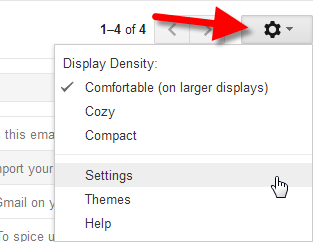
Image via digmydata
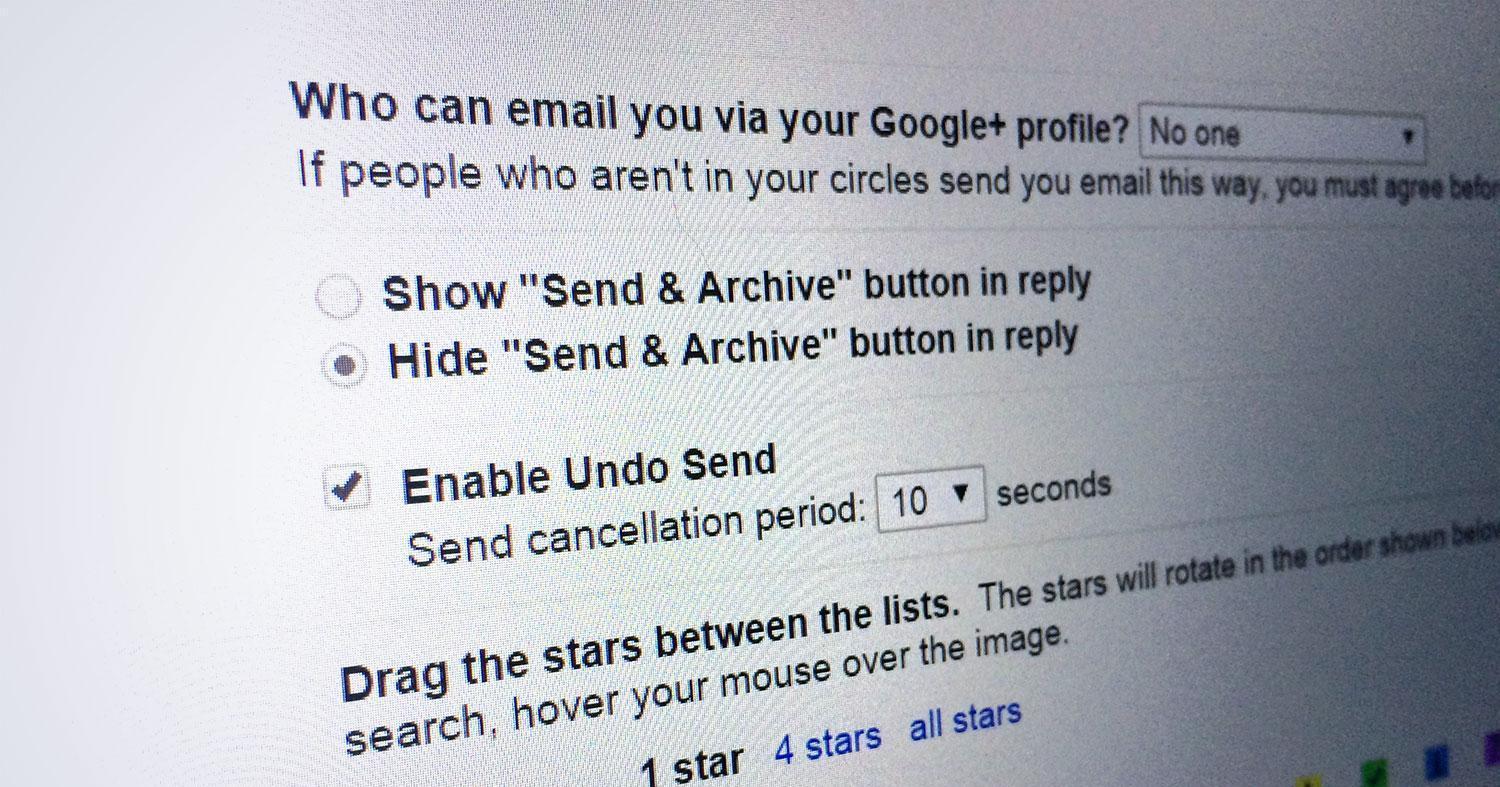
Half way down the page, you'll see the 'Undo Send', tick on it and select the send cancellation period which ranges from 5 to 30 seconds. Click on the 'Save Changes' button and you're all set!
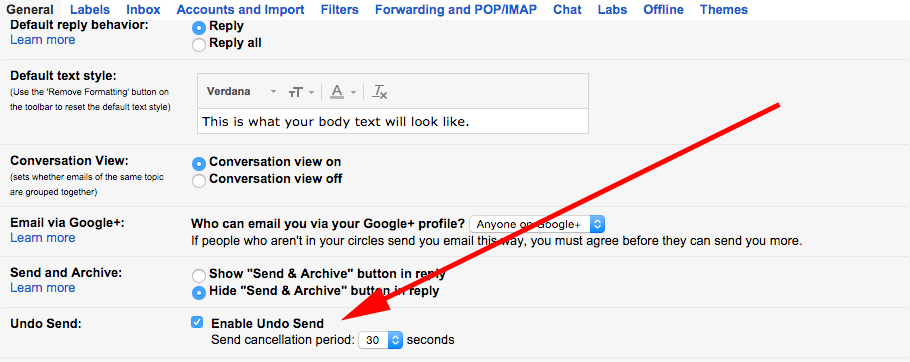
Image via forbes
So, next time if you accidentally send an email that you're not supposed to, you'll have that much time to cancel it off. Just click on the 'Undo' button within the time frame and Gmail will retract the mail back.
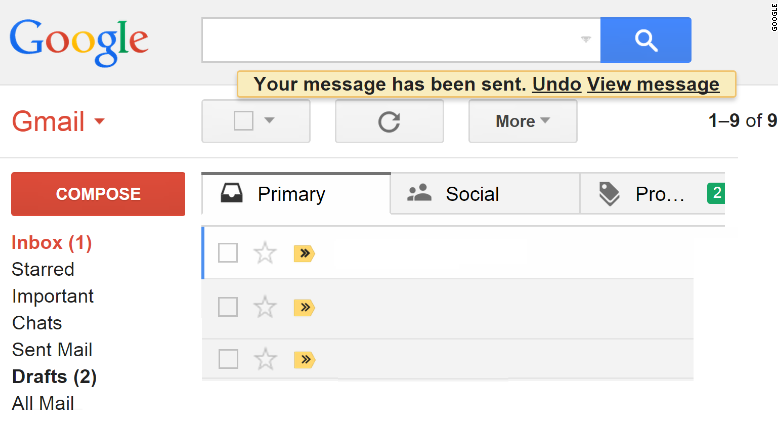
Image via cnn