


 Cover image via
Follow us on Instagram, TikTok, and WhatsApp for the latest stories and breaking news.
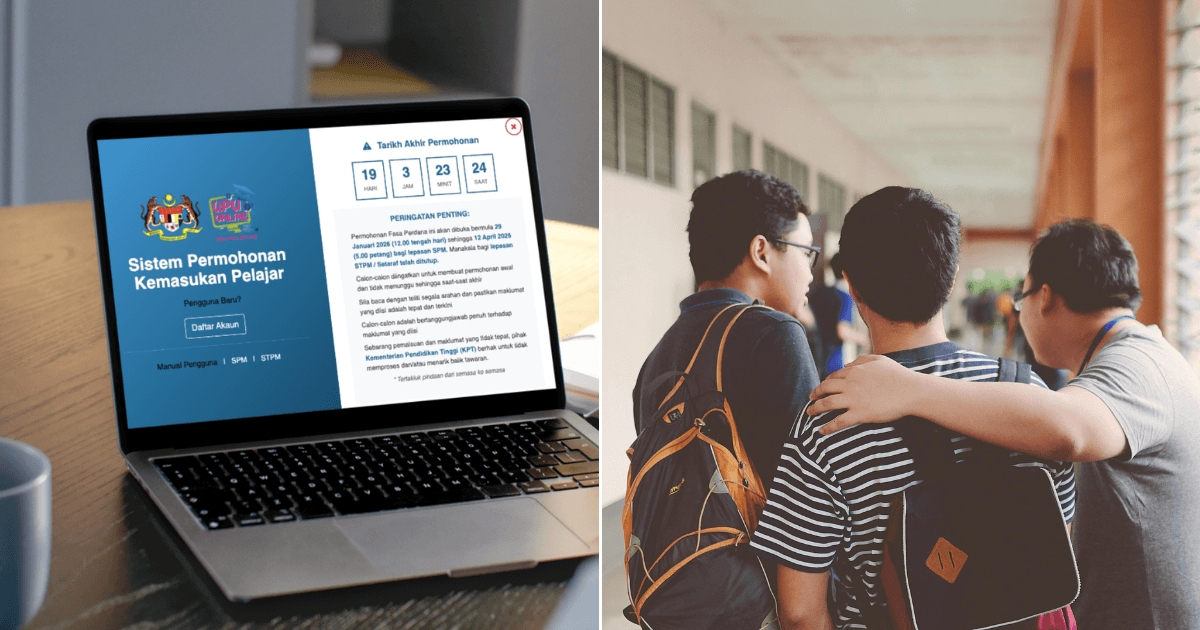
SPM results are coming out on 31 March, and if you're planning to apply for placement in public universities, you'll want to get familiar with UPU Online

UPU Online is the official, centralised online application system in Malaysia managed by the Higher Education Ministry. It allows students to apply for public universities (IPTA), polytechnics, community colleges, and public skills training institutes (ILKA) through one single, unified platform.
UPU Online for SPM leavers is open from 29 January until 12 April 2026 at 5pm. This window is specifically for SPM leavers, as applications for STPM or equivalent candidates have already closed.
Here's a simple step-by-step guide to help you through the process:
STEP 1: Log in and select your category
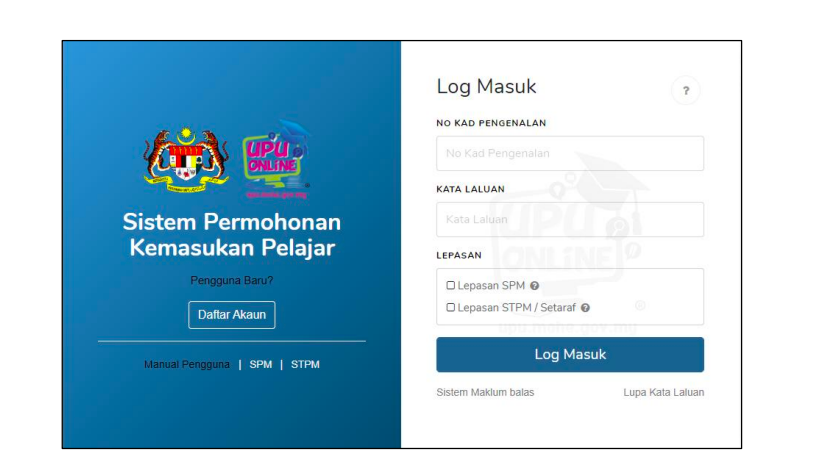
Head to the UPU Online portal, key in your IC number, and select your category as SPM leaver. If you do not have an account yet, click on 'Dafter Akaun' to register a new account.
STEP 2: Start your application form
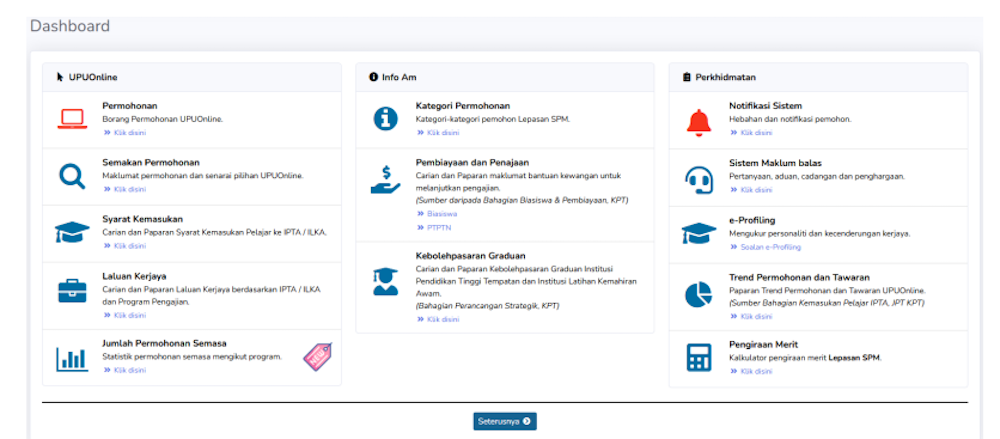
Once logged in, click on the application form (permohonan) and fill in:
- IC number
- BSN PIN number
- Category
Note: You'll need a BSN PIN to proceed this step.
You can get this for RM10.60 at any BSN branch, ATM, or via myBSN Internet banking during the application period. Keep your receipt, as it contains your PIN.
STEP 3: Answer basic declarations
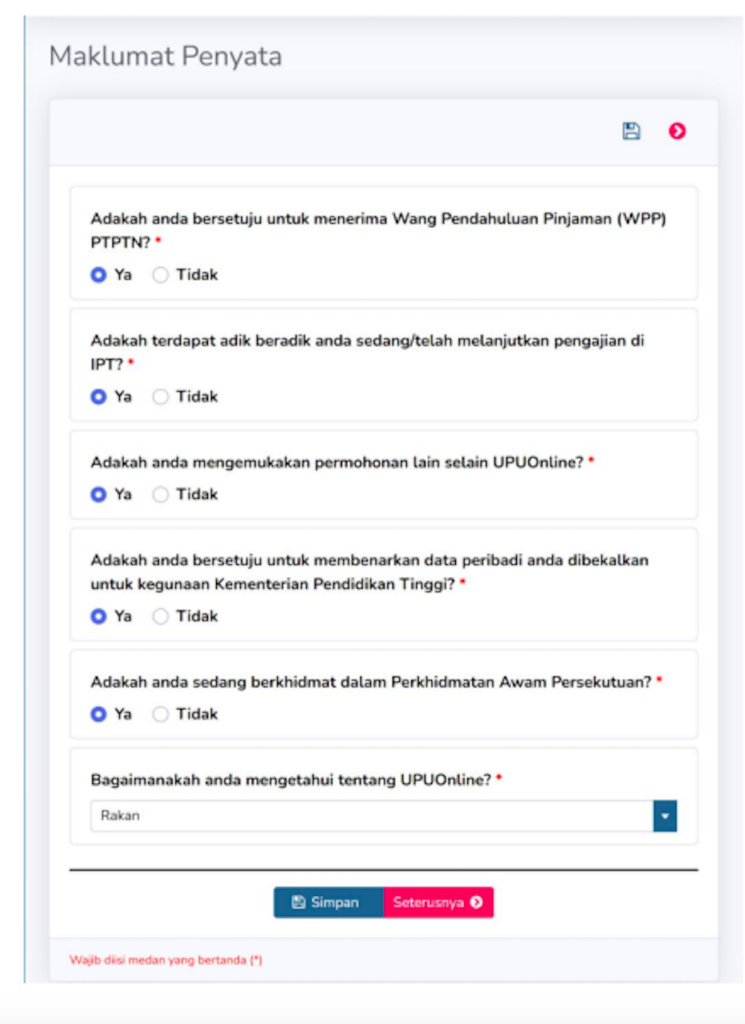
You'll be asked to fill in a series of yes-or-no statements. Complete them and click save.
STEP 4: Fill in your personal details
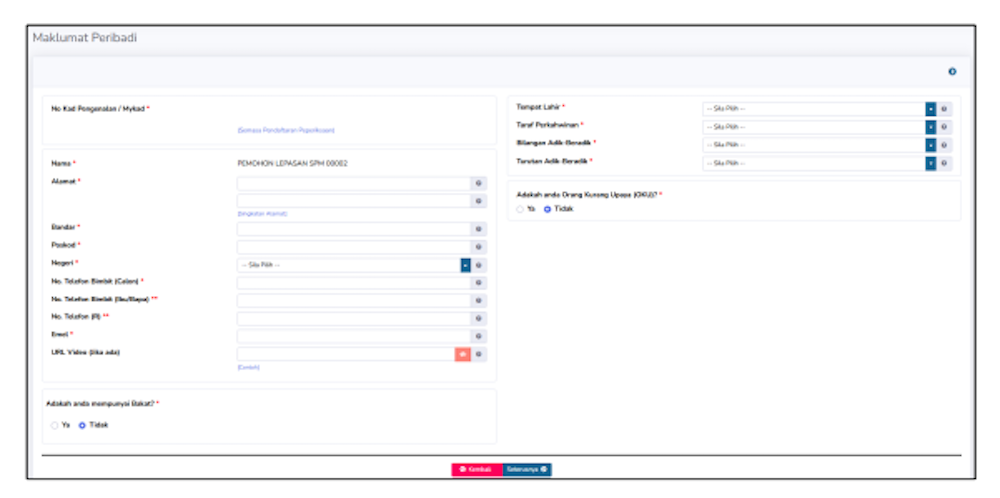
Enter your personal information carefully and save before moving on.
STEP 5: Add your family information
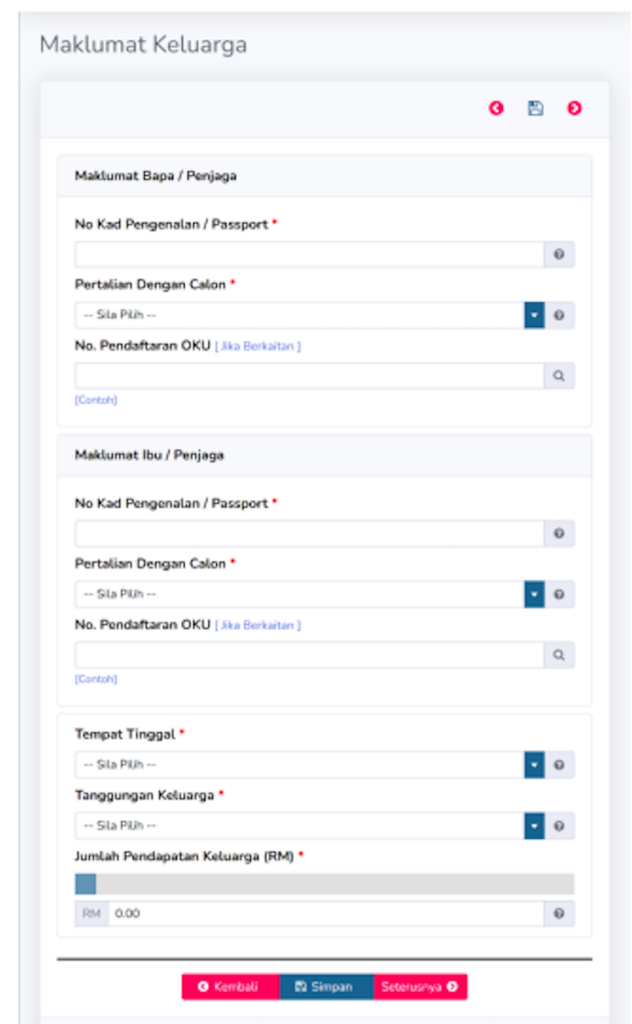
This includes basic details such as:
- IC numbers
- Relationship
- Household income
Once done, click save.
STEP 6: Verify your academic details
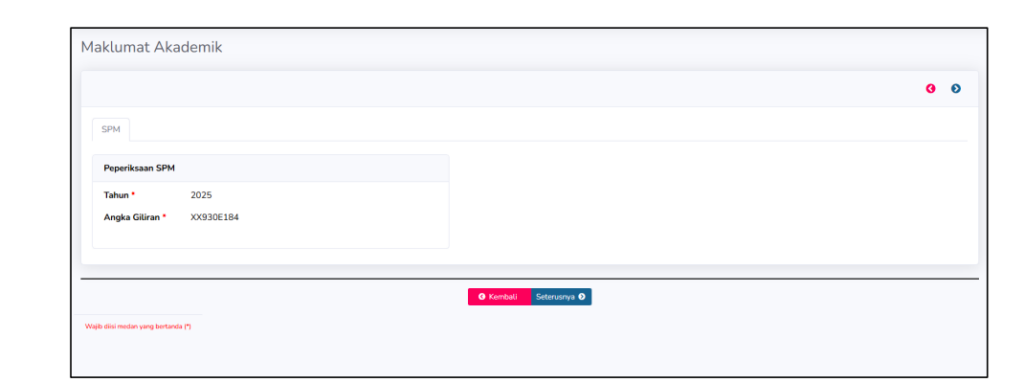
Key in your examination number (angka giliran) to retrieve your academic records.
Check that everything is correct before saving and proceeding.
STEP 7: Choose your preferred university programmes
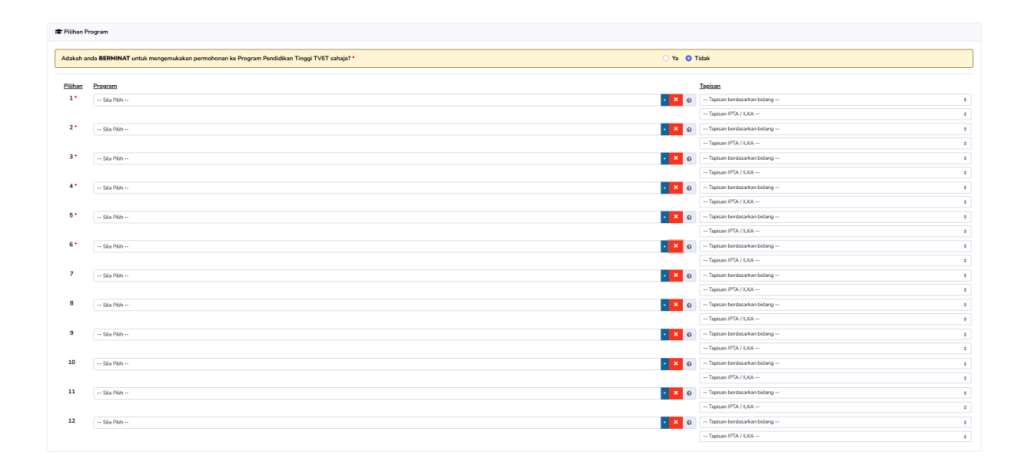
This is where you select your preferred university courses:
- You can choose up to 12 programmes
- A minimum of 6 choices is required
You might not get your top choice, but make sure your other selections are courses you'd be happy to pursue. Take your time here, this step plays a big role in your future path.
Do note that UPU ranks applicants using a merit system that considers academic performance (90%) and co-curricular involvement (10%). Academic results are based on your best five SPM subjects, including Bahasa Malaysia and History, or CGPA and relevant subjects for STPM candidates.
Co-curricular points come from participation in clubs, sports, or uniformed bodies.
STEP 8: Final confirmation
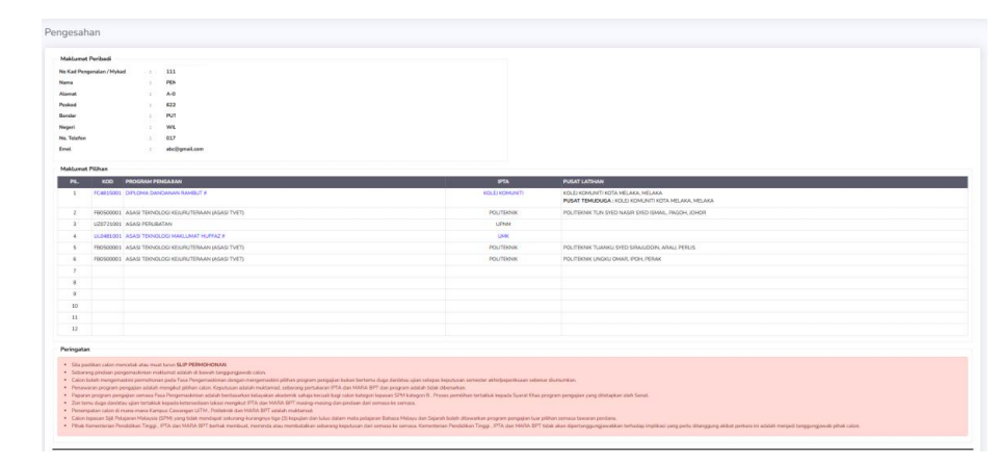
Do a final check of all your details. Tick "I agree" (Saya Setuju) , then submit your application. Don't forget to download and print your application slip for safekeeping.
And that's it, your UPU application is officially submitted
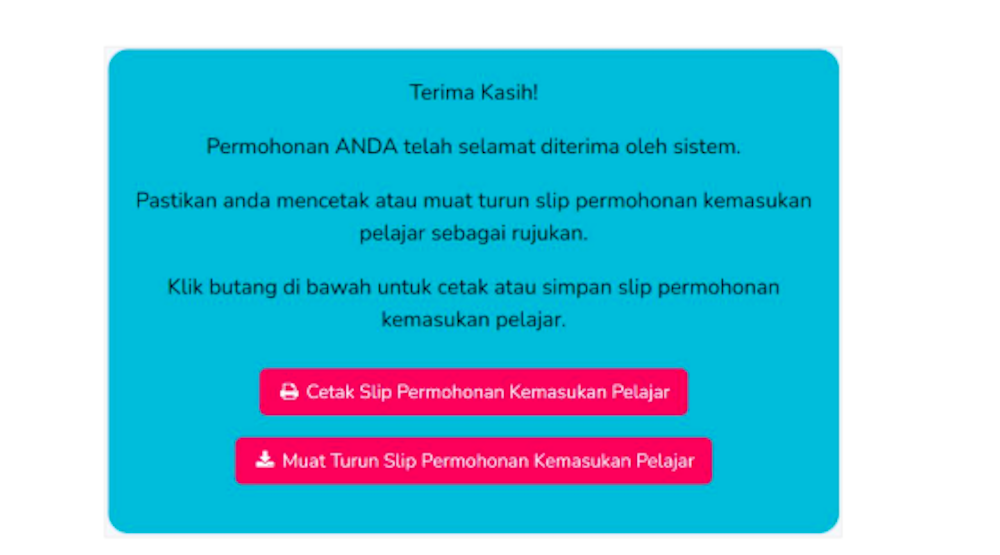
If you made a mistake or need to update any information, you can still edit your application anytime before 12 April 2026.
To make the process even easier, you can also visualise the steps by checking out UPU's official TikTok account, where they walk you through the application process. Watch their video below:
@bkpaupu Adik-adik tengah nak isi Permohonan UPU ke tuu.. Tak tahu nak mula dari mana? 🤯 Tonton video ini sehingga selesai untuk memastikan tiada maklumat penting yang terlepas dan ikuti setiap panduan yang dikongsikan bagi melancarkan proses permohonan anda. Semoga berjaya! Nantikan Karnival JMU yang seterusnya! 😎 Jangan lupa follow 👉🏻 Tiktok BKPA UPU untuk maklumat lanjut! #UPUOnline #JMU2026 #BahagianKemasukanPelajarIPTA #JabatanPendidikanTinggi #KPT ♬ original sound – bkpaUPU
