


 Cover image via SAYS
Follow us on Instagram, TikTok, and WhatsApp for the latest stories and breaking news.
If you've been hearing about the RM100 credit coming to your MyKad but aren't sure how it works, here's some good news
It's a RM100 one-off payment for Malaysians aged 18 and above, credited on 31 August, and you can spend it at thousands of stores until 31 December 2025.
Prime Minister Datuk Seri Anwar Ibrahim announced the initiative in July as a gesture of appreciation to the rakyat, and it will fall under the Sumbangan Asas Rahmah (SARA) programme.
Here's how to redeem yours.
Step 1: Check if you're eligible:
Head to the SARA/MyKasih eligibility page or download the MyKasih app and key in your IC number to confirm your status.


Step 2: Download the MyKasih app (optional, but useful)
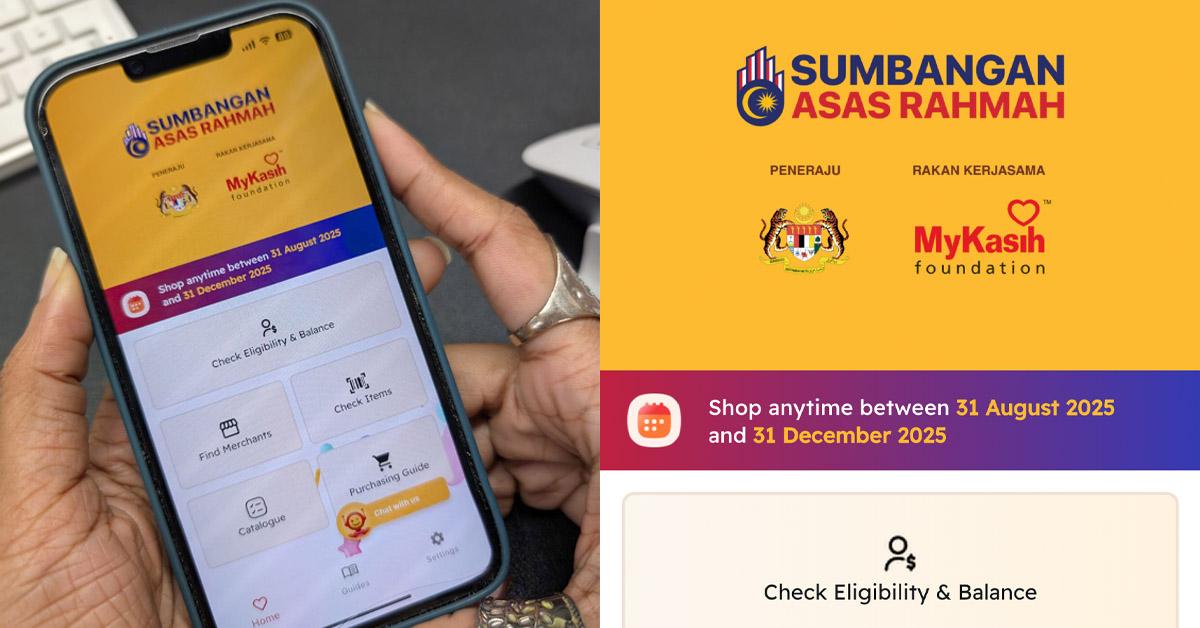
The app makes it much easier to manage your credit. With it, you can:
– Check your eligibility and remaining balance
– Find participating merchants near you
– View a catalogue of approved items
– Scan barcodes in-store to confirm if an item qualifies
Download the MyKasih app on Google Play Store or the App Store.

A screenshot of the app's homepage.
Image via SAYSIf you're unsure about an item, simply tap 'Check Items', then either scan or enter the barcode.
The app will immediately tell you if an item is eligible.

Step 3: Shop at a participating store near you
There are over 7,300 stores nationwide where you can spend the credit. Look for the MyKasih label on price tags when choosing items.
You can choose from over 100,000 essential products across 14 categories, including:

Stick to these approved categories to avoid issues at checkout.
Step 4: Pay using your MyKad — no extra wallet needed
When you're done shopping:
- Head to the cashier and present your MyKad.
- The cashier will scan your eligible items.
- Keep your receipt to track your balance.
If an item isn't eligible, the system (or the app scanner) will flag it automatically, allowing you to swap it before paying.
Here's a visual image of the process:

To find out more info, visit the SARA website.
