


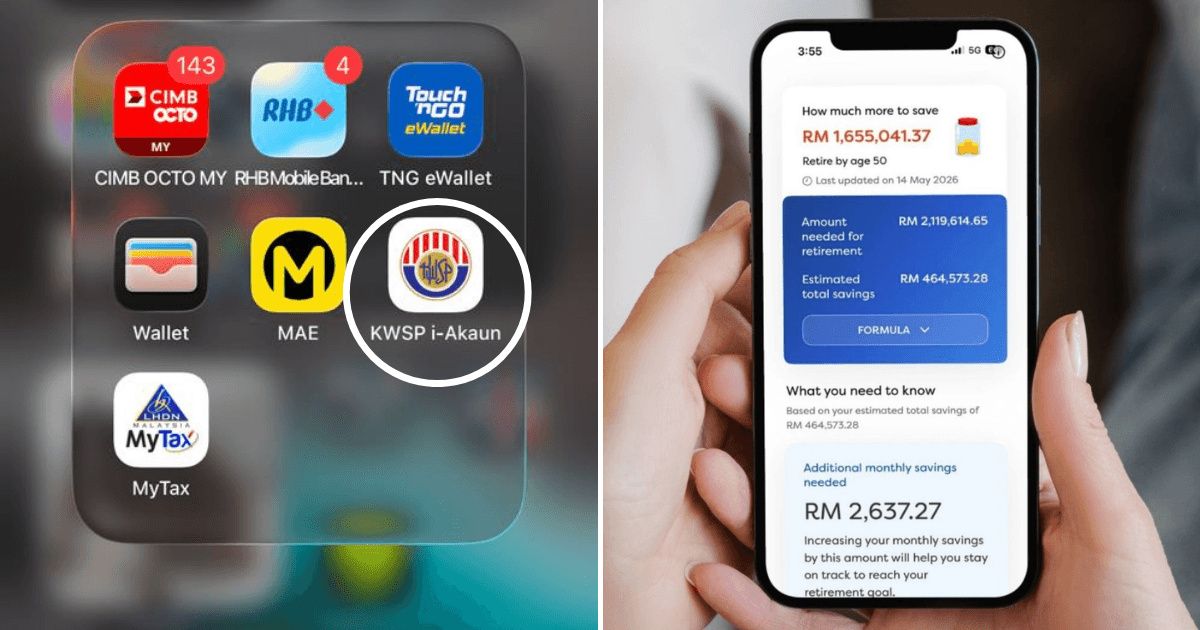
 Cover image via SAYS
Follow us on Instagram, TikTok, and WhatsApp for the latest stories and breaking news.
If you haven't checked your EPF savings in months, you're definitely not alone
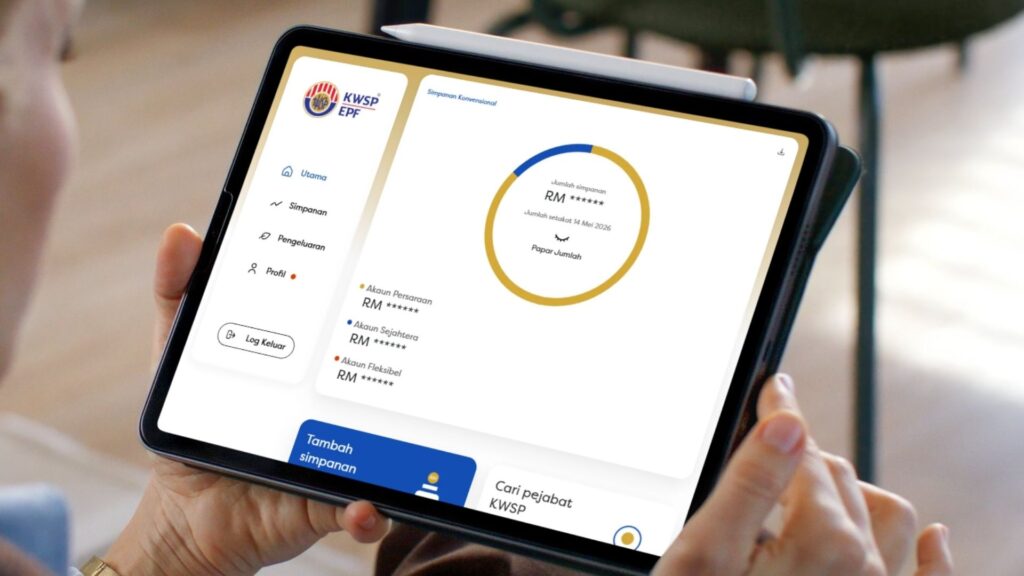
For a lot of us, we assume the contribution goes in automatically, and everything is working the way it's supposed to.
Here's the thing, the KWSP i-Akaun app can do more than just help you check your current savings, it can actually help you manage them properly.
One of the most useful features is checking whether your employer paid your EPF contributions properly
Every month, you can check exactly how much was contributed by both you and your employer, along with the payment dates and past records. This matters more than you think.
A lot of employees assume EPF deductions are automatically handled properly forever, but delayed or missing contributions are still possible in some workplaces.
The problem is most people only realise something is wrong years later, usually when applying for a housing loan or switching jobs.
Here's how to access your contribution history:
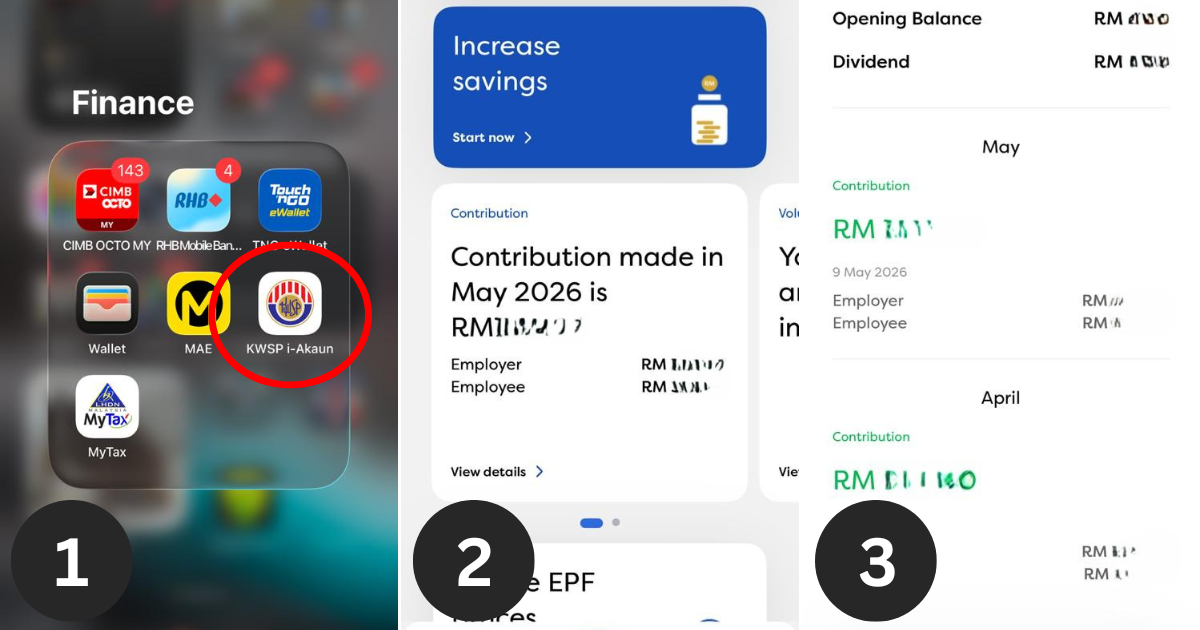
STEP 1
Open the KWSP i-Akaun app.
STEP 2
Scroll down from the "Home" tab and find a section called "Contribution".
STEP 3
Click into it and you should see the full history of contributions made from both you and your employer.
There are also useful retirement projection tools that can help you plan your savings accordingly
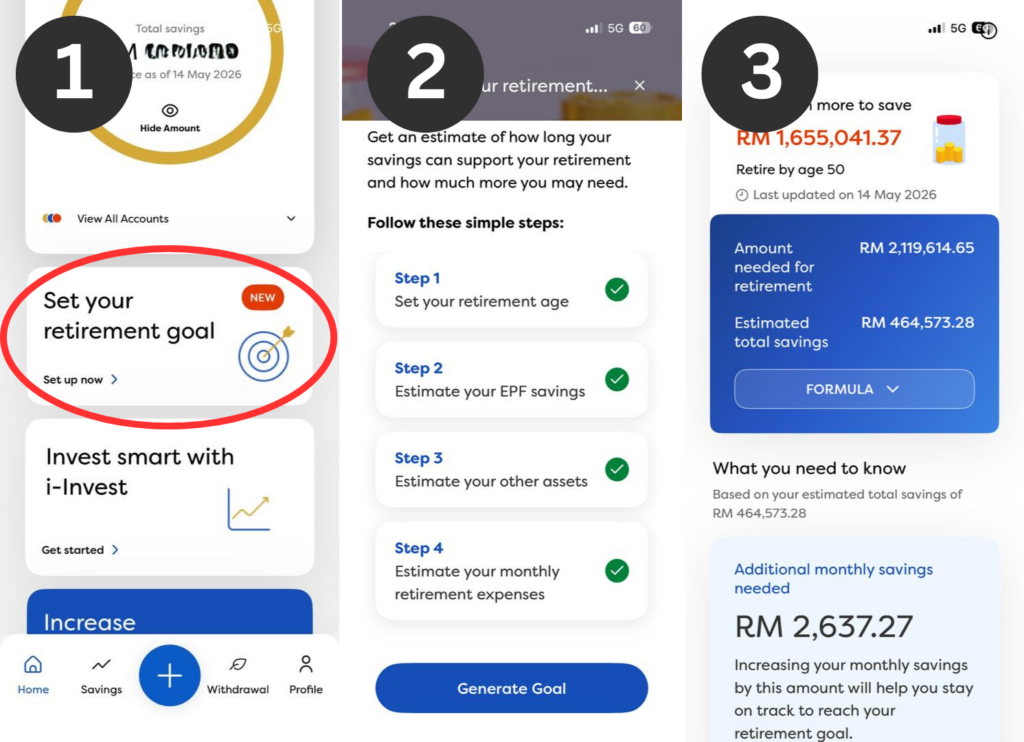
KWSP i-Akaun comes with planning tools that estimate how much your EPF savings could grow over time and what you can do to reach your goals.
Here's how:
STEP 1
In the i-Akaun app, scroll down the "home" tab to find "Set your retirement goals".
STEP 2
Then, fill in the details requested such as your current salary, projected increments, when you plan to retire, and etc.
STEP 3
Generate your goals and the app will tell you everything you need to know, including the amount of savings you'll have by retirement, how much you can spend monthly, and more.
This is a helpful way to plan out your future financial decisions and see how you can grow your wealth even further.
You can also use i-Akaun to withdraw EPF savings for specific expenses

Once you start using your EPF savings for things like housing, education, or medical costs, the withdrawal section inside i-Akaun is one of the most useful features on the platform.
Right now, EPF savings are divided into three accounts:
- Akaun Persaraan (formerly Akaun 1): Mainly for retirement and generally can't be touched until you reach the eligible withdrawal age.
- Akaun Sejahtera (formerly Akaun 2): Withdrawals for approved pre-retirement needs such as housing, education, and medical costs.
- Akaun Fleksibel (formerly Akaun 3): Savings that can be withdrawn at any time.
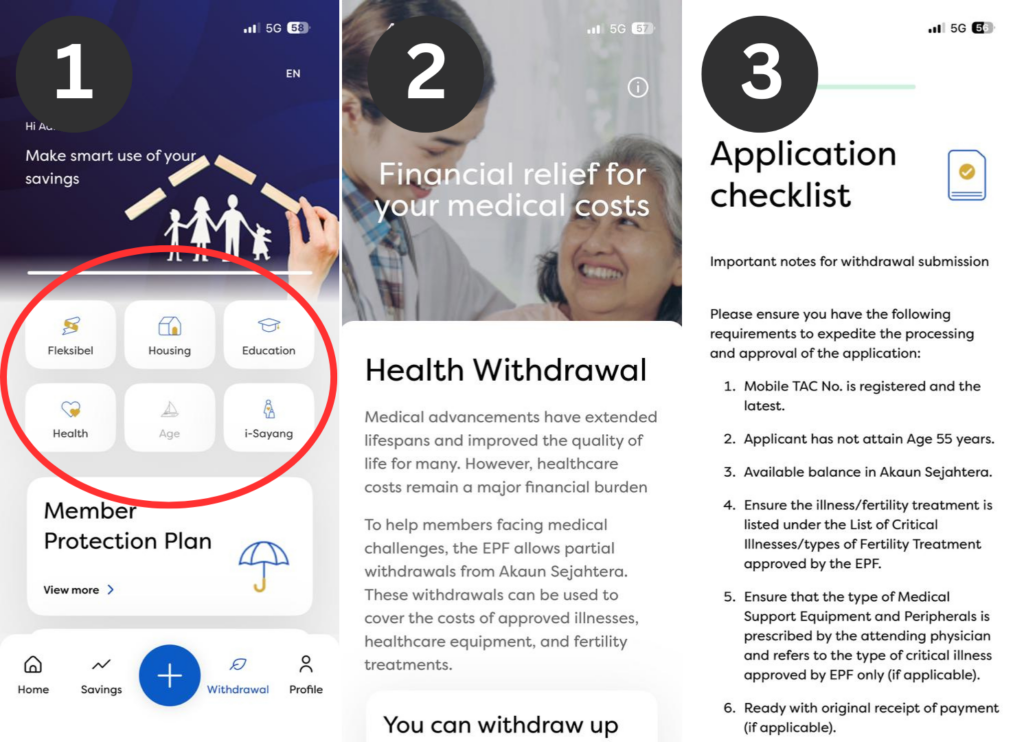
To apply for a withdrawal:
STEP 1
Head to the withdrawal section of the i-Akaun app.
STEP 2
Pick the type of withdrawal you want to make: Housing, Education, Flexible, Medical, and others.
STEP 3
Review your eligibility status and the supporting documents you might need to submit to a KWSP/EPF branch.
STEP 4
Submit your application through the app.
The app also allows you to directly update or change your nomination details
Keeping your nomination details up-to-date is a crucial part of managing your savings.
It ensures that your money goes to the right people in the event something unexpected happens.
Here's how you can do it:
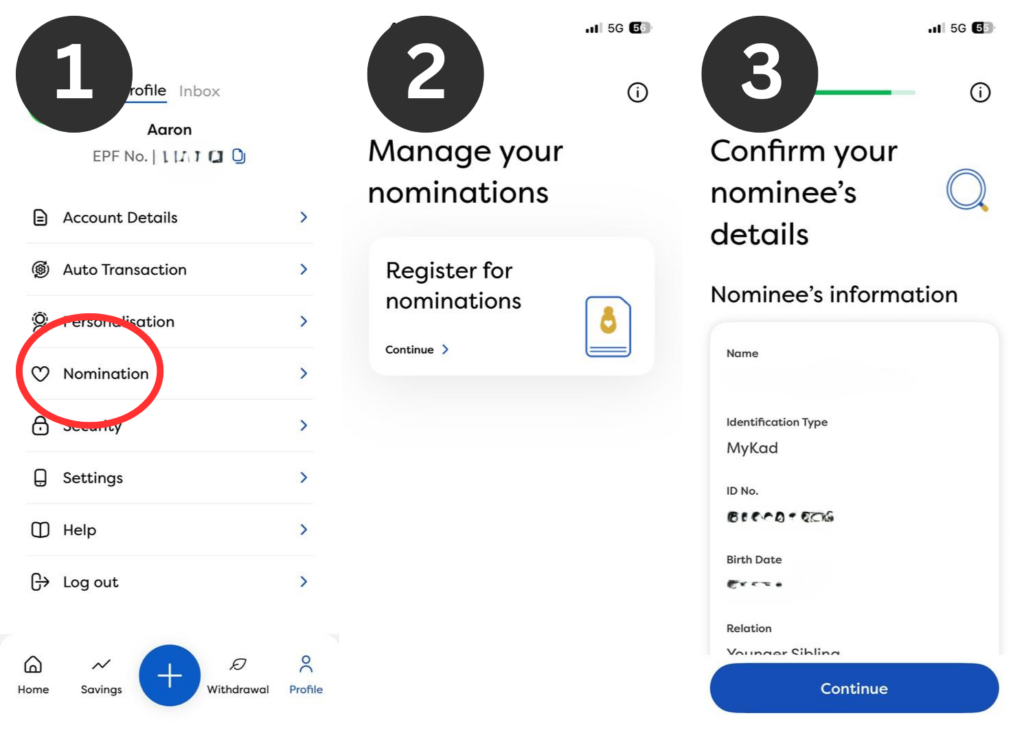
STEP 1
Navigate through your profile and look for the "Nomination" setting.
STEP 2
Register for nominations if you haven't or update your current nominations if you wish to do so.
STEP 3
Key in the details of your nomination and verify them once you're done.
For more #lifestyle stories:
- How To Check If Your Company Is Contributing To Your EPF Properly
- What's The Difference Between EPF, SOCSO And EIS & How Much Is Taken From Your Salary?
- How Does Withdrawing RM1,000 From Your EPF Today Affect Retirement? We Did The Math
- EPF i-Akaun: How To Register, Log In & Check Your Balance Online
