


 Cover image via
Follow us on Instagram, TikTok, and WhatsApp for the latest stories and breaking news.
TNG Digital has rolled out a handy update for its Touch 'n Go eWallet, making the QR scanner useful for more than just payments
According to Touch 'n Go, the new feature allows users to scan various non-payment QR codes, including restaurant menus, event tickets, and online forms.
This update removes the need for a separate scanner app, streamlining daily tasks as QR codes become more common in dining, travel, and entertainment.
Here's how TNG users can use the new feature
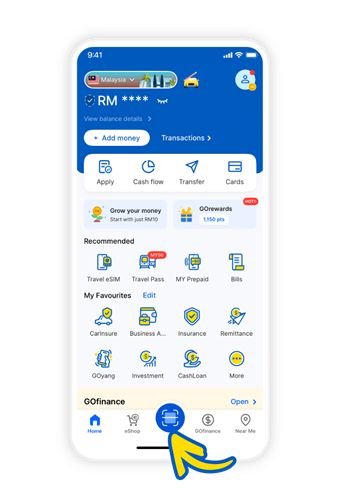
- Open the TNG eWallet app
- Tap the 'Scan' icon on the home screen
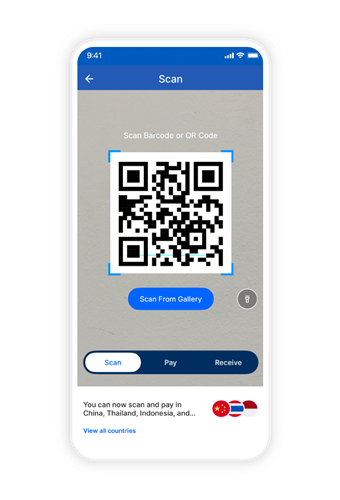
- Point your camera at the QR code
- Follow the on-screen prompt: Pay, open a link, or save details
To celebrate the launch, TNG Digital is giving users a chance to win eWallet credit or reload PINs
To participate, simply scan a non-payment QR code or share your experience on social media using the hashtag #SatuAppSemuaQR.
MOST READ
