 Cover image via Business Insider (Edited by SAYS)
Follow us on Instagram, TikTok, and WhatsApp for the latest stories and breaking news.
Spotting AI-generated images used to be as simple as looking at the number of fingers on each hand had, and when it came to video, visuals were so warped it was laughable
But those days are over.
AI images and videos are sharper, more realistic, and sometimes indistinguishable from the real thing. As a result, many people are accidentally falling for fake celebrity endorsements, AI-generated "news", and even cute but totally fabricated travel videos.
So… how do you protect yourself now?
Here are simple checks you can do to determine if a video or photo is real or AI:
1. Always check the source
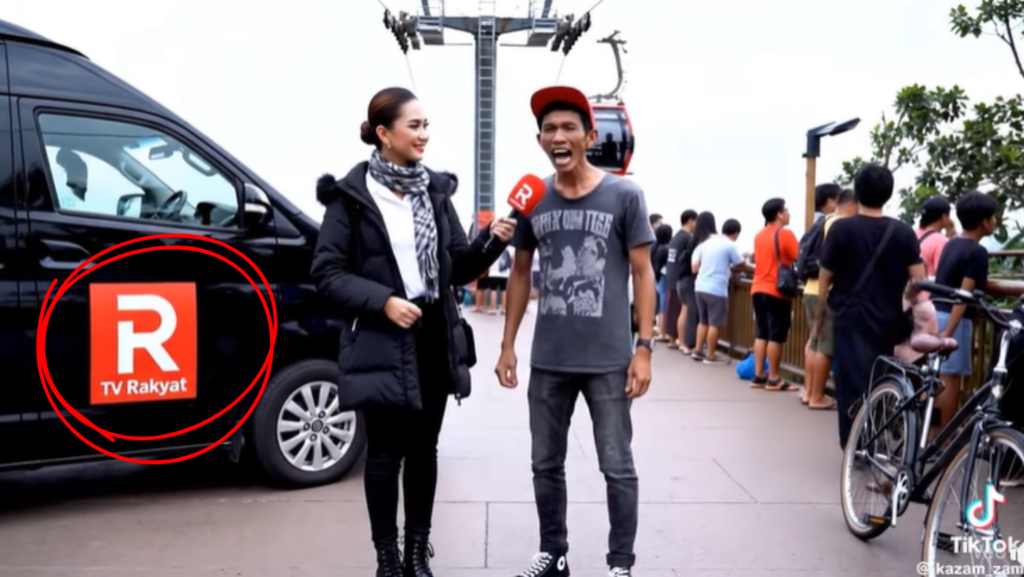
TV Rakyat is not a real media in Malaysia.
Image via FacebookAI videos can look extremely real, so instead of inspecting the visuals first, check where the video or photo came from.
Ask yourself:
- Was it shared by the real, verified account of a brand, public figure, or company?
- For government-related updates, is it posted by the actual ministry's official page?
- For news, is it coming from a reputable national outlet or a random channel you've never heard of?
- Did it originate from an unfamiliar TikTok, Facebook, or Instagram page with no clear identity?
- When you visit the account's main page, do the posts look consistent and legit, or is it just a mix of random viral videos?
If the source is shady or unfamiliar… proceed with caution.
2. Scan the comments
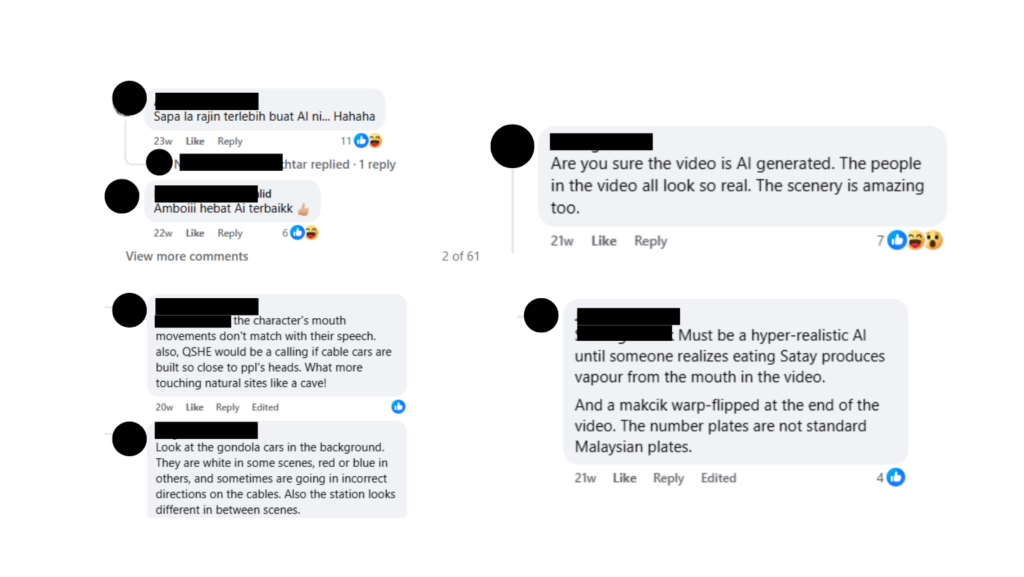
One of the fastest ways to verify anything is to read the comments. People online LOVE pointing out AI mistakes.
Often, someone has already:
- Identified it as AI
- Found the original source
- Explained what's wrong with the video
While not a foolproof method, it's a good start to get you thinking and analysing whether or not what you're watching is actually real.
3. Look for unrealistic context

On 7 October 2025, former Director General of Health Malaysia Dr Noor Hisham Abdullah shared an AI-generated scam post to warn others that his likeness was being used to promote fake products.
Image via Noor Hisham Abdullah (Facebook)Sometimes a video or photo looks legit, until you ask yourself, "does this make sense?"
For example:
- A massive theme park magically opening overnight
- A celeb or public figure endorsing a product totally out of character
- Breaking news or any news report with zero coverage from other national outlets
- A tourist spot that no one has ever mentioned until today
If a post makes you feel a sudden strong emotion, whether excitement, anger, or fear, take a pause. Emotional extremes are a common red flag for misinformation.
4. Take a second look at the micro details

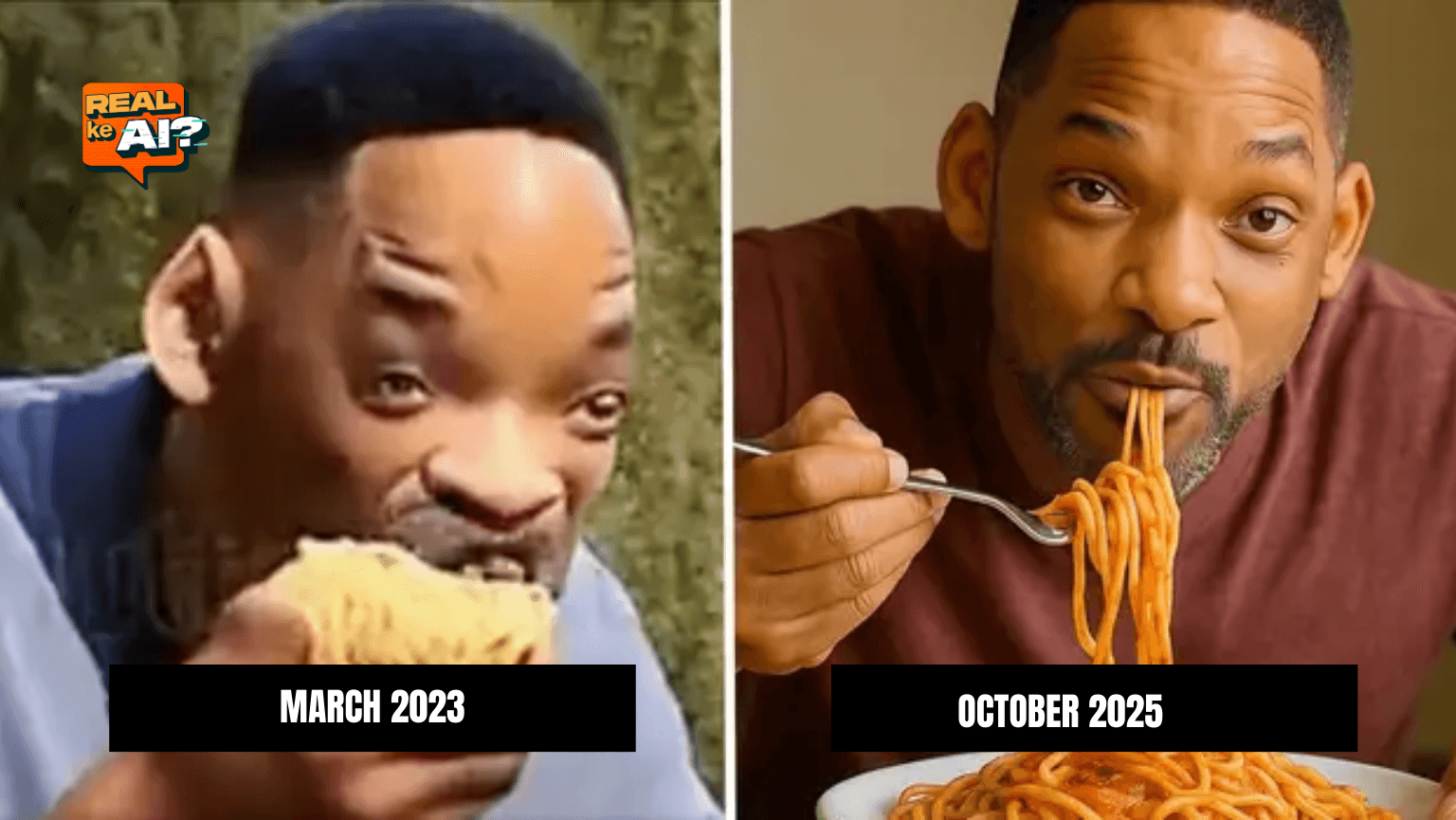
AI-generated video of Will Smith eating spaghetti in 2023 (left) vs 2025 (right).
Image via Business InsiderImage via Business InsiderAI tools have gotten much better at fixing hands, so focus on deeper cues.
Unnatural lighting
- Shadows that don't match the environment
- Objects glowing weirdly or faces too smooth
Odd movement
- Mouth and eyes moving slightly off-beat
- People turning their heads too smoothly
Texture issues
- Hair that looks "painted on" and too perfect
- Water, fire, or smoke that loops unnaturally
These details are small, but once you learn to spot them, you can't unsee them.
5. Compare with real news outlets and official updates
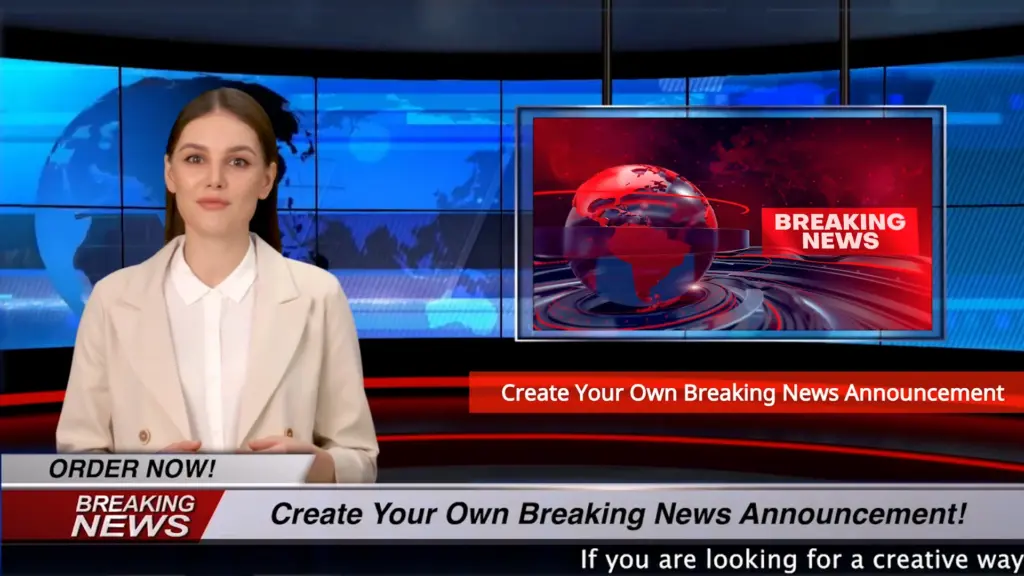
Breaking news videos can be created using AI.
Image via FiverrIf the video claims something big, like a natural disaster, the start or end of a war, a new building or attraction, or a celebrity announcement, there should be real news within minutes.
Search keywords in Google Search like:
- Breaking news [topic]
- [Place] announcement
- [Celebrity] statement
For more credibility, add the names of respected news sites or search directly on their websites.
If no credible news source is covering the news you saw, be skeptical.
6. If it asks you to buy, click, or sign-up… Double-check everything
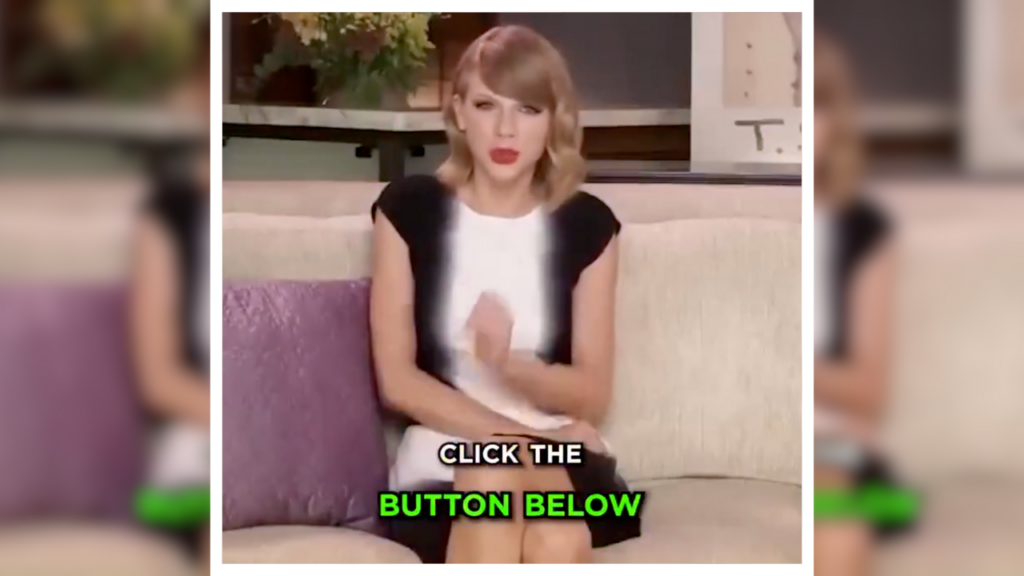
Taylor Swift is one of the most used public figures by scammers who use AI to create fake endorsements of products.
Image via McAfeeScammers use AI to:
- Fake celebrity endorsements
- Create fake product demos
- Mimic a person"s voice
- Recreate "live" events
If the video is pushing you to:
- Buy something urgently
- Sign up for a limited-time promo
- Click a link to "claim" something
Stop. Recheck the URL and the source.
7. Remember, not all AI videos are scams
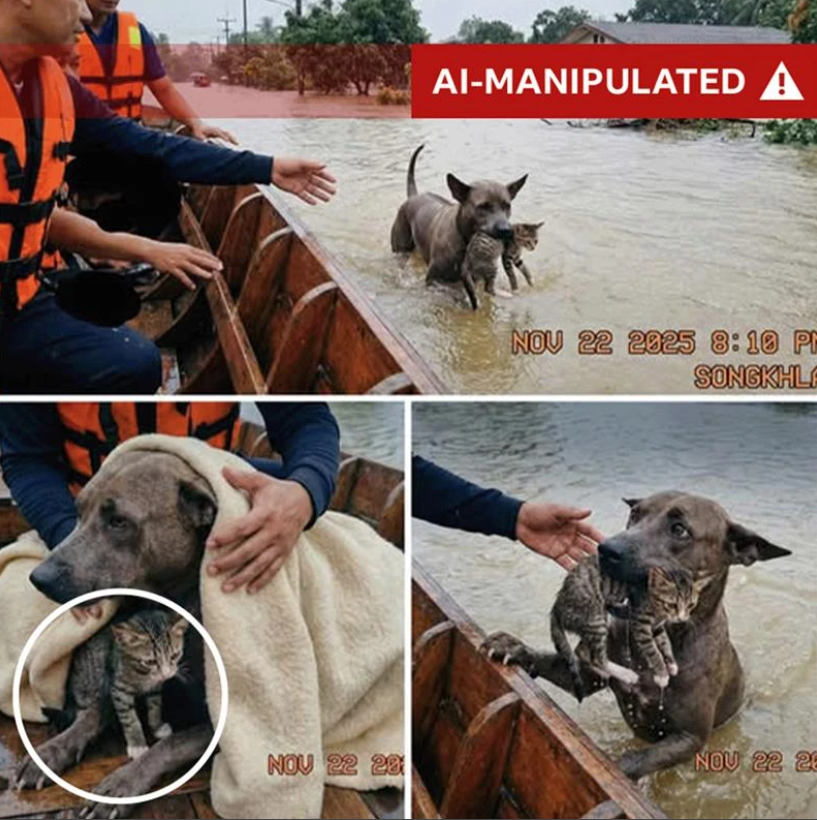
Dr Peter Bentley, a computer scientist at University College London, pointed out inconsistencies in the lighting on the cat's head with its placement under the towel, suggesting that the cat photo may have been added afterwards and merged in with AI.
Image via BBCA lot of AI videos are harmless. It could be a cute cat, surreal fantasy landscape, fan-made movie edit, or any other kind of entertainment.
The problem is when AI content is presented as real-life news, real events, or real statements.
When in doubt, verify before you share, especially if the content could cause panic, anger, or misinformation.
If you're unsure, ask someone tech-savvy in your life
AI can help with learning, improving efficiency, and even assist with daily tasks. But it can also mislead, confuse, and scam people, especially if we're not prepared.
REAL ke AI? Fact-check before you act. Everyone plays a role.