
Here’s How You Can Easily Transfer Data To Your New HUAWEI nova 7i With Phone Clone
Check out this simple step-by-step guide to seamlessly set up your new HUAWEI nova 7i.

Published For Huawei Malaysia - 22 Feb 2020, 04:01 AM


 Cover image via Business Insider & JBKlutse
One of the most annoying things about changing to a new phone is having to transfer all your contacts, media, and messages

Image via Giphy
The worst thing is when some of your stuff doesn't get transferred and you have to manually do it one at at time. Or when your old WhatsApp messages don't sync and you lose all your photos! 🙁
To help you transfer seamlessly with zero hassle, HUAWEI has come up with a simple step-by-step guide:
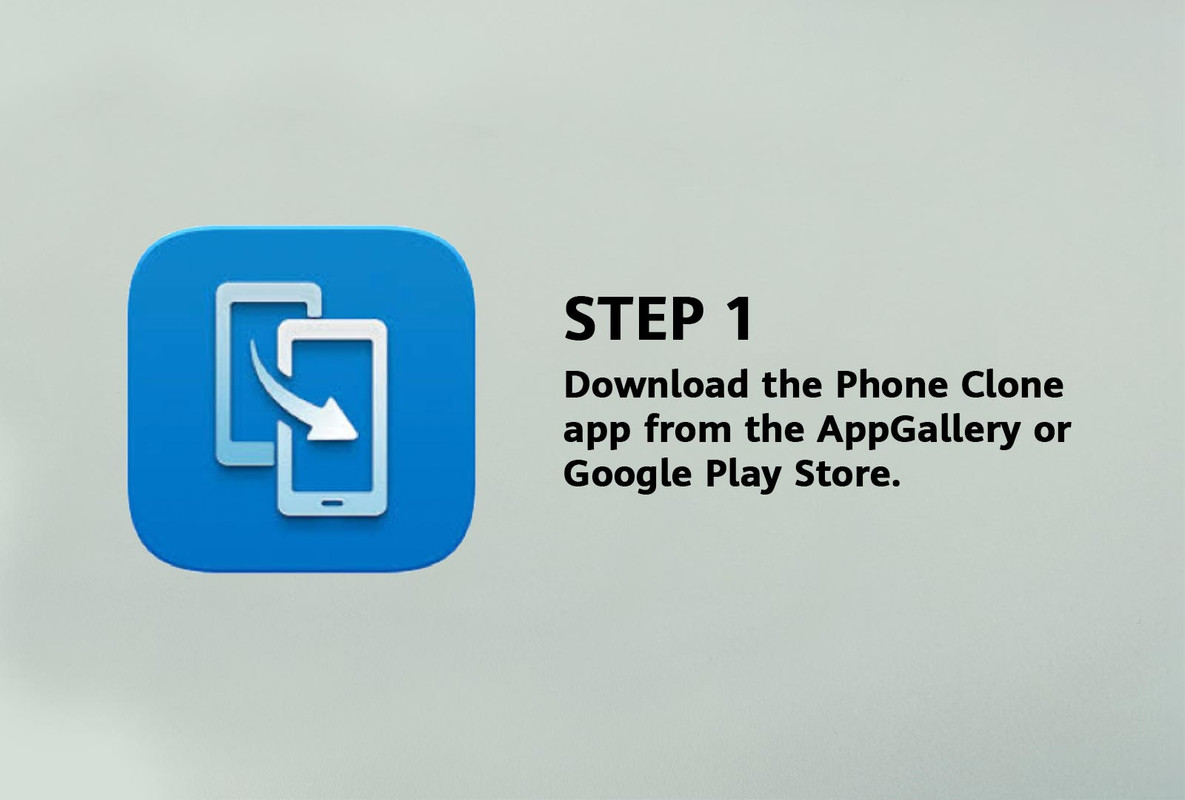
Image via HUAWEI
Step 1: Download the Phone Clone app from the App Store or Google Play Store.
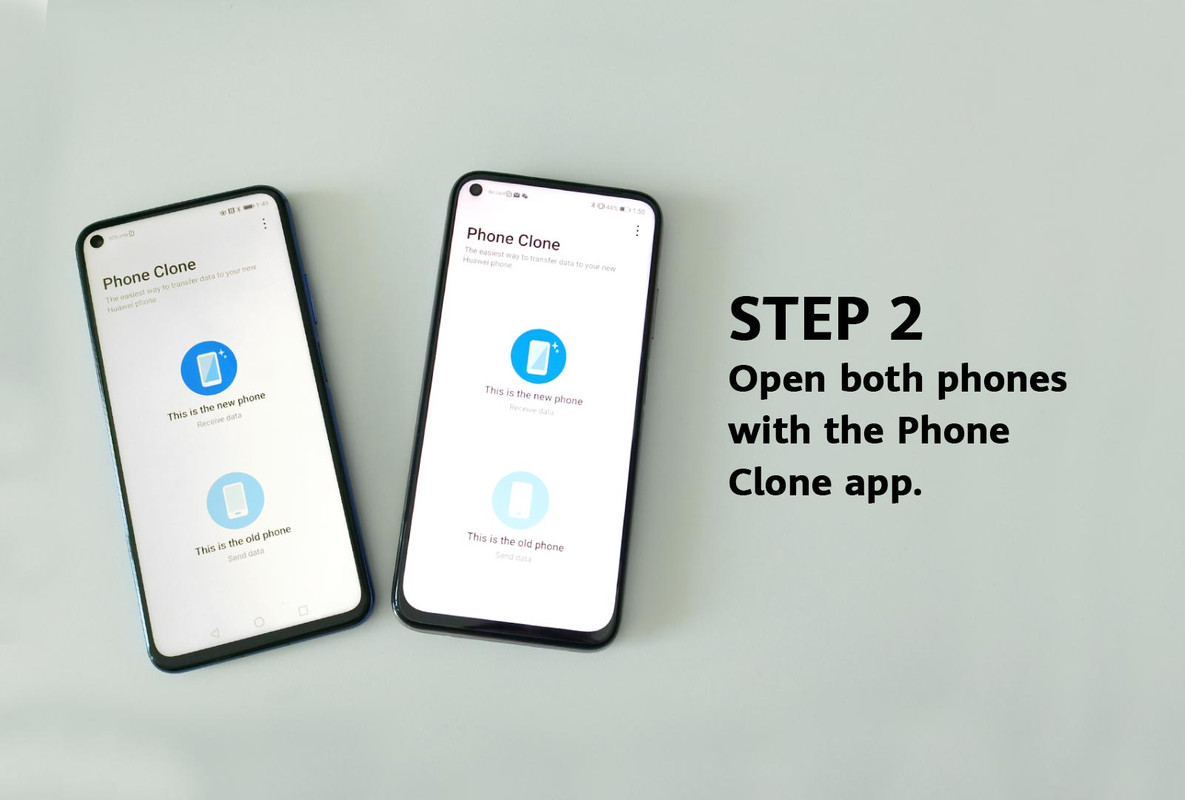
Image via HUAWEI
Step 2: Open both phones with the Phone Clone app.
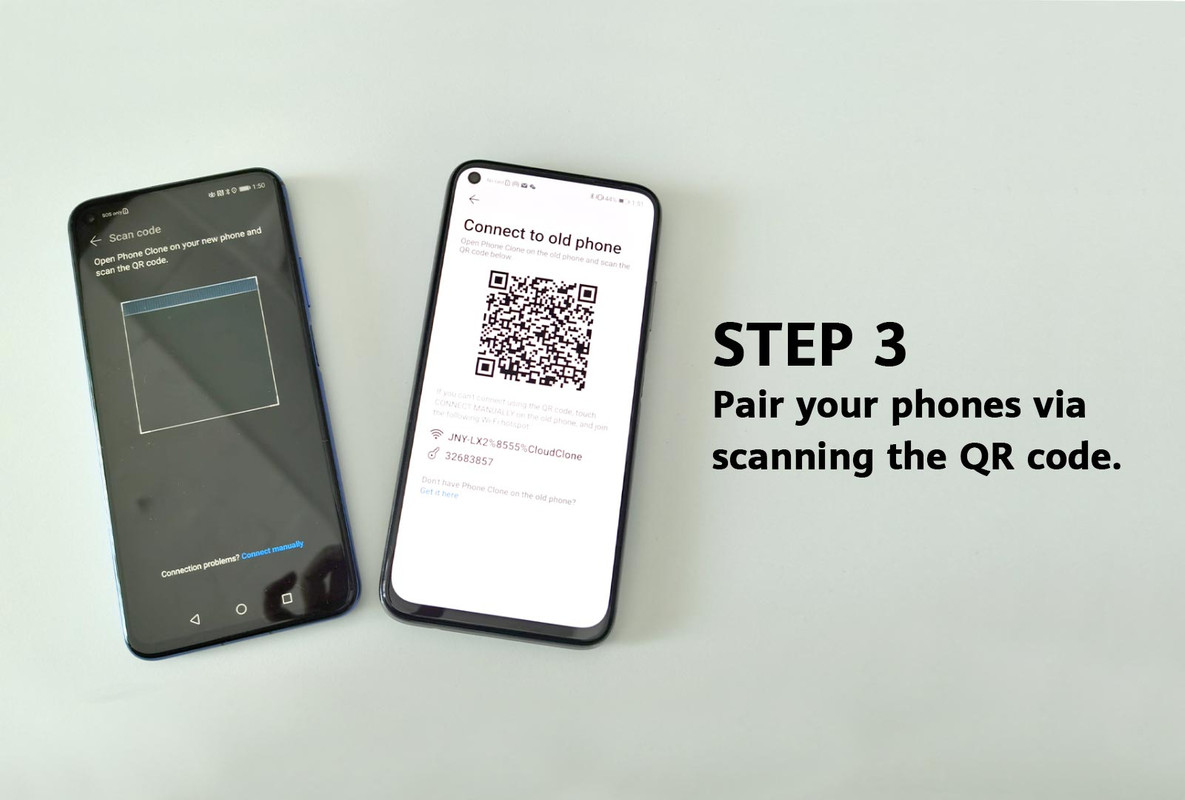
Image via HUAWEI
Step 3: Pair your phones via scanning the QR code.
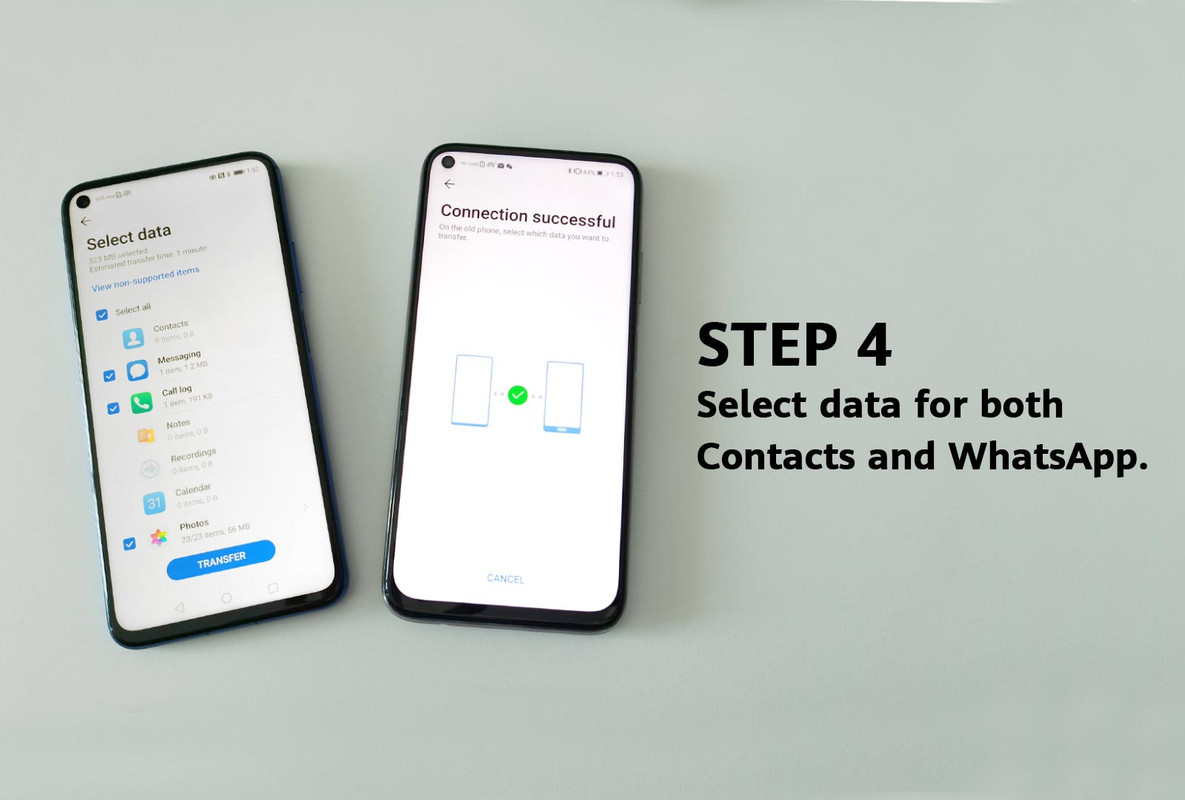
Image via HUAWEI
Step 4: Select data for both Contacts and WhatsApp.
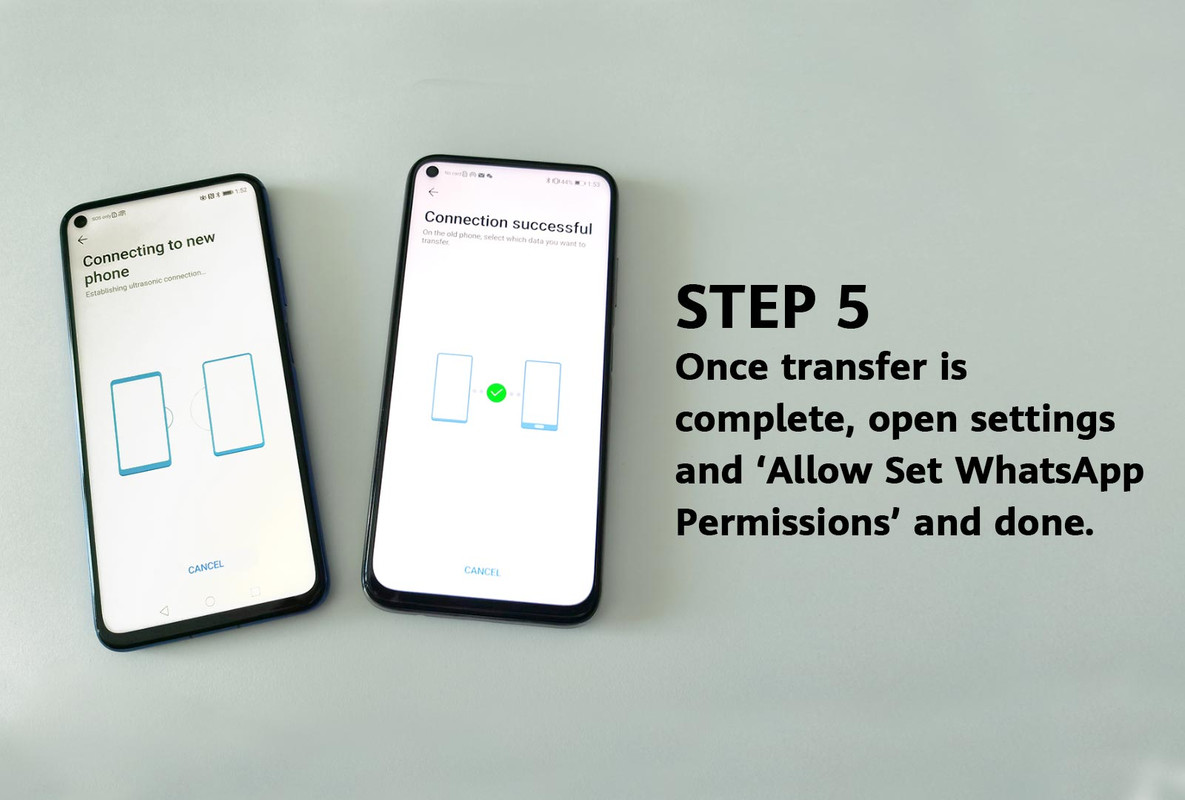
Image via HUAWEI
Step 5: Once transfer is complete, open settings and 'Allow Set WhatsApp Permissions' and done.
If you prefer not to use the Phone Clone app, you can back up your messages on WhatsApp itself too. Here's how:
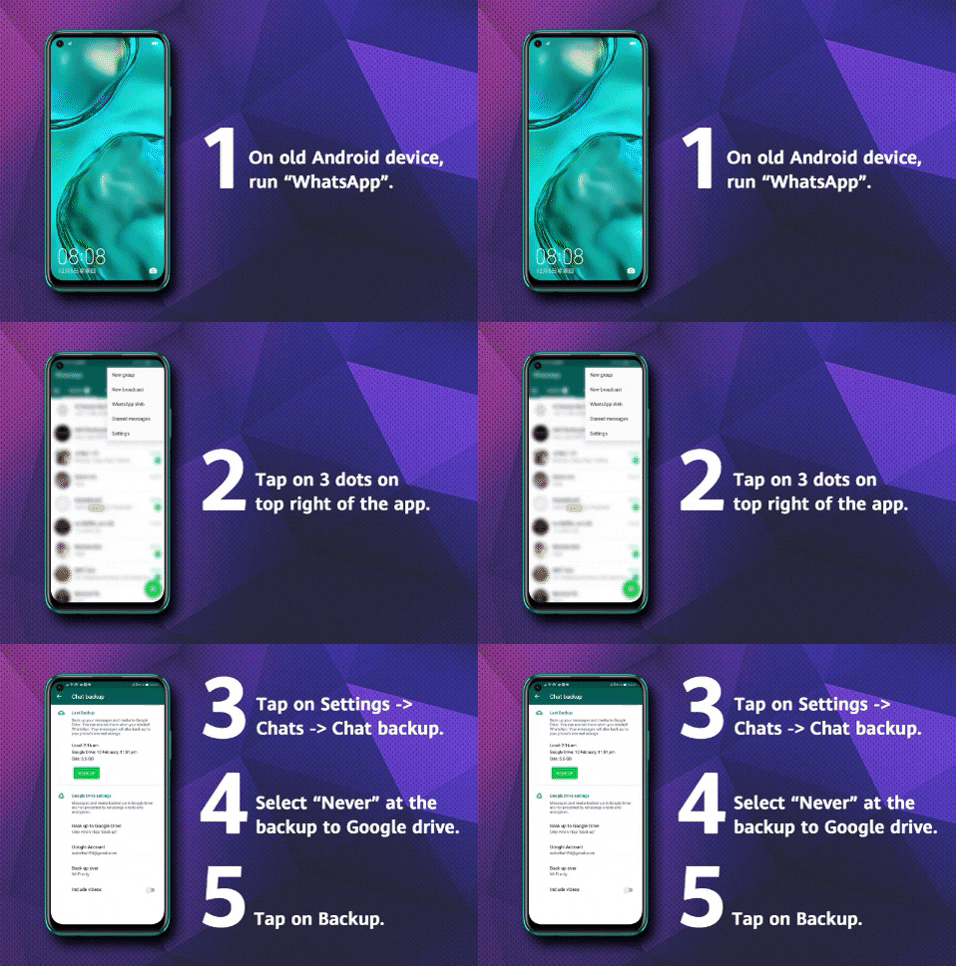
Image via HUAWEI
Step 1: On old Android device, run "WhatsApp".
Step 2: Tap on 3 dots on top right of the app.
Step 3: Tap on Settings > Chats > Chat backup.
Step 4: Select "Never" at the backup to Google drive.
Step 5: Tap on Backup.
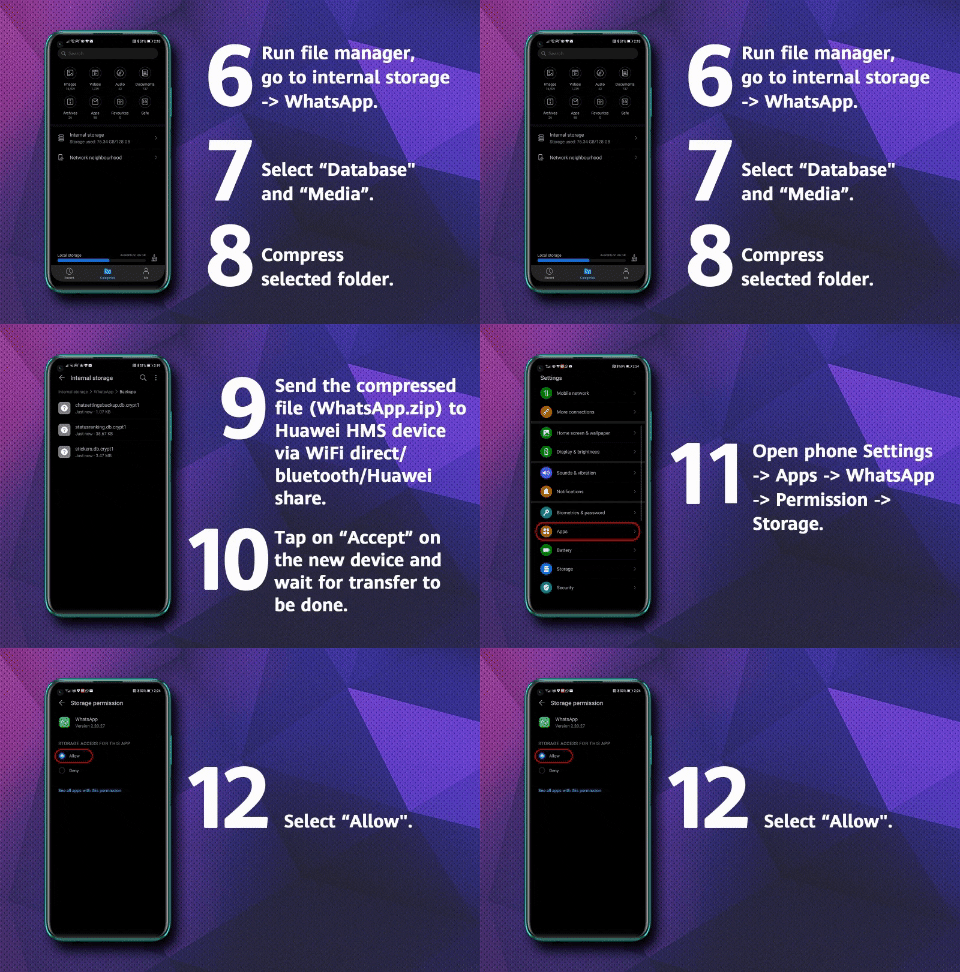
Image via HUAWEI
Step 6: Run file manager, go to internal storage > WhatsApp.
Step 7: Select "Database" and "Media".
Step 8: Compress selected folder.
Step 9: Send the compressed file (WhatsApp.zip) to the new device via WiFi direct / Bluetooth / HUAWEI share.
Step 10: Tap on "Accept" on the new device and wait for transfer to be done.
Step 11: Open phone Settings > Apps > WhatsApp > Permission > Storage.
Step 12: Select "Allow".
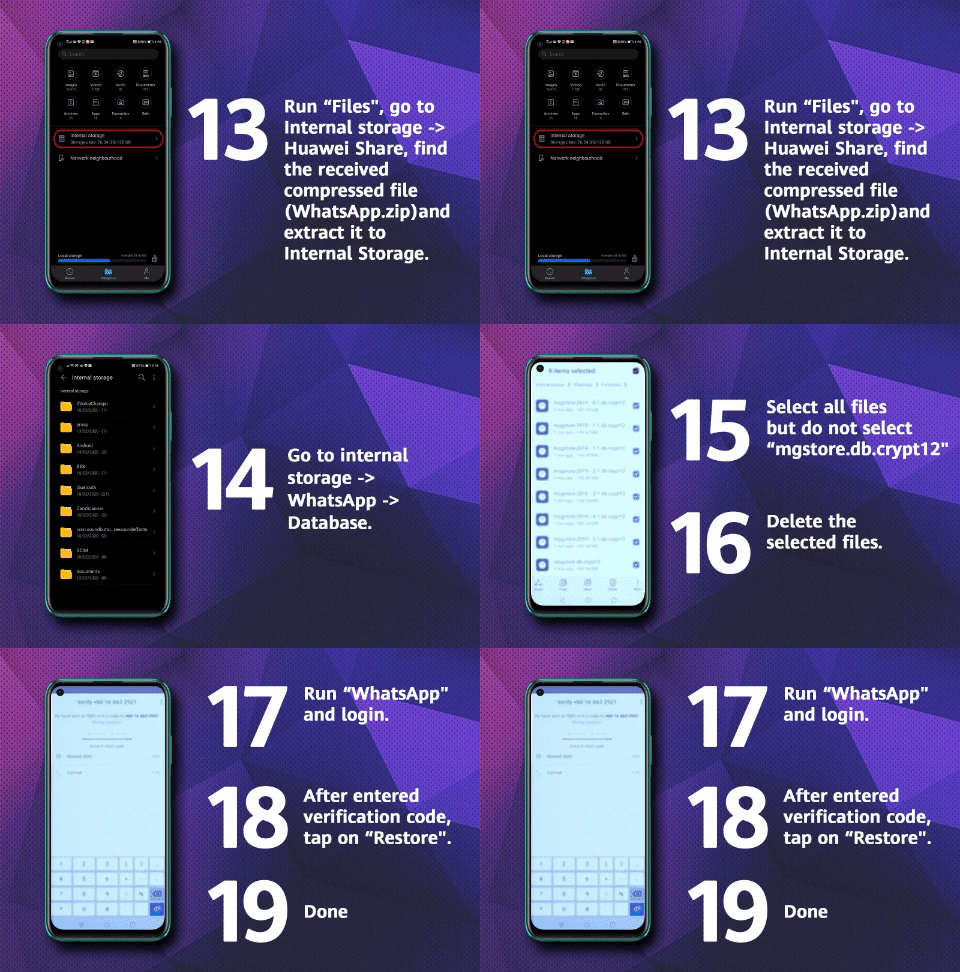
Image via HUAWEI
Step 13: Run "Files", go to Internal storage > Huawei Share, find the received compressed file (WhatsApp.zip) and extract it to Internal Storage.
Step 14: Go to internal storage > WhatsApp > Database.
Step 15: Select all files but do not select "mgstore.db.crypt12″.
Step 16: Delete the selected files.
Step 17: Run "WhatsApp" and login.
Step 18: After entering the verification code, tap on "Restore".
Step 19: Done.
With these easy steps, transferring your stuff to your new HUAWEI phone will be a breeze!

Image via HUAWEI Mobile Services (YouTube)
If you're looking for a new phone, the nova 7i is the latest addition to the HUAWEI family and comes with all kinds of amazing features
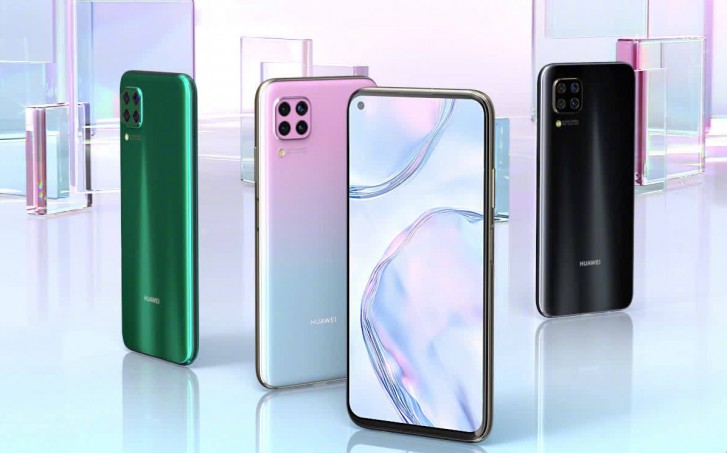
Image via Wiser
The first phone to be launched by HUAWEI Malaysia this year, the nova 7i is equipped with a quad-camera setup and advanced AI algorithms for amazing photos and selfies. It also comes with the Kirin 810 processor for powerful performance, as well as 40W HUAWEI SuperCharge that will let you charge your phone up to 70% in 30 minutes.
Sporting a sleek design with smooth curved edges, the HUAWEI nova 7i is available in three stylish colours: Sakura Pink, Black, and Crush Green.
In a survey, HUAWEI Malaysia found that Malaysians use their nova phones mainly for Facebook, Instagram, Spotify, WhatsApp, Waze, Google Maps, common e-wallet apps (Maybank MY, Touch N' Go, etc.), e-hailing, and food delivery services
Most of these apps can be downloaded and used on the HUAWEI nova 7i seamlessly to ensure that fans of HUAWEI will always enjoy the phone without any issues.
You can get the HUAWEI nova 7i at just RM1,099 or with affordable installment plans from as low as RM4.87 a day
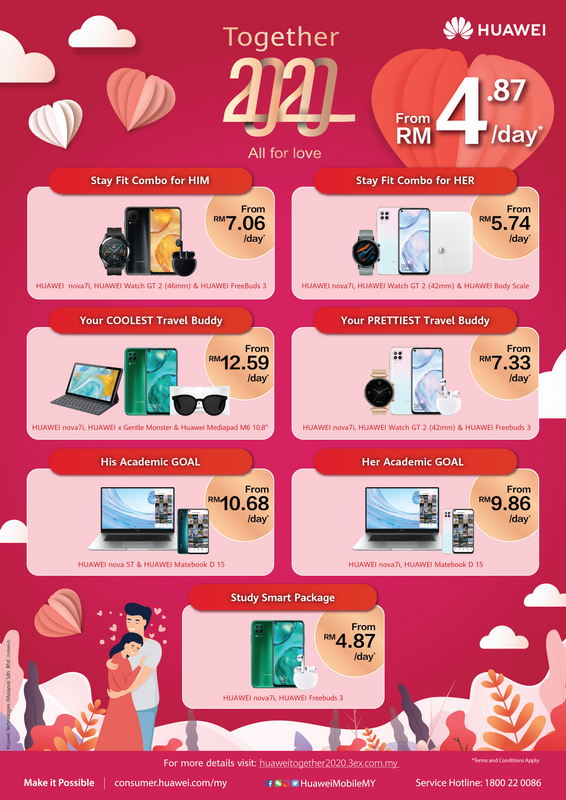
Image via HUAWEI
Whether you want a smartwatch that keeps you fit, or a laptop that will help you power through your assignments, HUAWEI has a variety of installment packages that comes with the nova 7i. Find out more about the plans here.

