


 Cover image via
Follow us on Instagram, TikTok, and WhatsApp for the latest stories and breaking news.
It's only been a couple of days since Instagram launched its new Map feature, and many users are already expressing concerns online about its potential privacy implications
The feature has drawn comparisons to Snapchat's Snap Maps and sparked fears about doxing and stalking.
However, Meta clarified that the live location sharing function is an 'opt-in' service.

According to Instagram head Adam Mosseri, the map primarily shows content based on locations tagged in posts and Reels, not a user's real-time whereabouts
"Your live location is not being shared, and it will never be unless you decide to share it," he said in a post.
If you're still uncomfortable, you can easily disable the feature within the app to ensure your location is not shared with anyone.
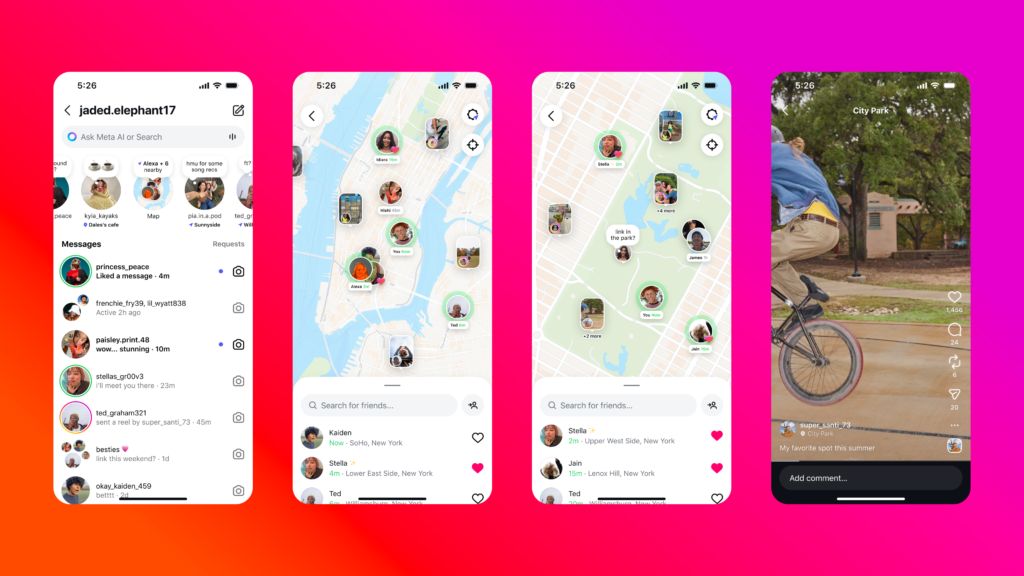
Here's how to disable Instagram's Map feature:
- STEP 1: Tap 'Messages' in the top right of your Feed.
- STEP 2: Tap 'Map' at the top of your inbox.
- STEP 3: Tap 'Settings' in the top right and select 'No one'.
- STEP 4: Tap 'Update' at the bottom to save your changes.
Instagram notes that if you haven't already enabled location access for the app, the map feature is disabled by default. Mosseri also said that design improvements for the map would be released soon.
MOST READ
